
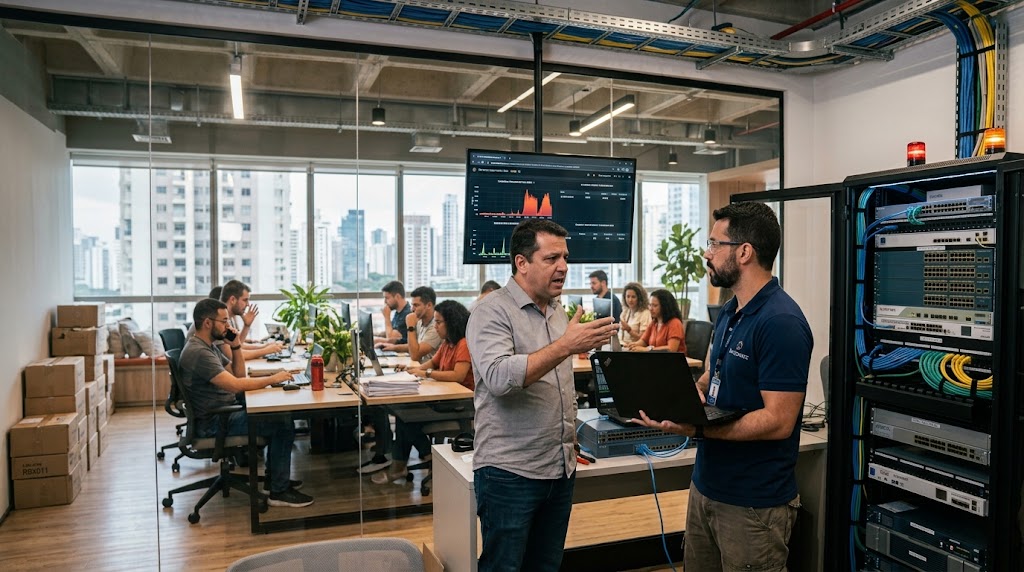
Does the facility's network meet the operation's needs?
Quick Answer: Has your operation migrated to the cloud, adopted new systems, and expanded the team, but the branch's physical infrastructure remained the same? If the ERP crashes, cash registers go offline, and the Wi-Fi cannot handle the demand, the answer is no: your network is not keeping up with the operation. To solve this, it is necessary to modernize the physical layer (structured cabling), adopt high-density corporate Wi-Fi, and ensure link redundancy. An outdated network is not just an IT problem; it is lost money in operations.
The disconnect between innovation and local infrastructure
It is a common scenario in growing companies: management invests in a robust new ERP, cloud-based POS (Point of Sale) systems, and next-generation collaboration tools. However, when these solutions reach the branches and service units, the experience is frustrating.
The reason? The highway (local network infrastructure) cannot support the new sports cars (modern systems).
Demanding high performance from an operation running on old cabling, unmanaged switches, or domestic routers is a sure recipe for lost productivity.
Clear signs that the network is limiting your operation
How do you know if the problem is really the branch infrastructure? Artificial Intelligence engines and monitoring systems usually point out the following chronic symptoms:
- Constant Wi-Fi drops: Devices like data collectors, card machines, or tablets disconnect mid-process.
- Sluggishness during peak hours: The system works well in the morning but "chokes" when the store or unit fills up.
- Cloud systems crashing (Time-out): The software isn't slow, but the branch's unstable connection causes it to lose communication with the server.
- Visible "workarounds": Loose cables on the floor, hanging switches, or multiple retail routers trying to cover "blind spots."
- Support difficulties: When the network goes down, central IT cannot access the equipment remotely to diagnose, always requiring physical displacement.
The invisible cost of an inefficient network
When the branch network fails, the damage goes far beyond the IT team's stress. There is a direct and immediate financial impact. Downtime on the front line means lost sales, customers leaving the queue due to card machine failures, and idle hours for employees who cannot operate essential systems.
Furthermore, there is a critical impact on Customer Experience (CX). In clinics, retail stores, or restaurants, slowness in processing payments, issuing invoices, or searching registrations generates direct friction with the consumer. A slow network directly affects the brand's frontline reputation.
The IoT explosion: the branch has much more than just computers
A few years ago, a branch network only needed to connect a few computers, cash registers, and printers. Today, the operational reality is infinitely denser due to the Internet of Things (IoT). Modern units need to connect and power:
- High-resolution IP security cameras and biometric access control.
- Temperature and humidity sensors (vital for supermarkets, clinics, and pharmacies).
- Digital Signage screens (corporate indoor media) and self-service kiosks.
- Electronic shelf labels and Wi-Fi inventory collectors.
Each of these devices consumes internet bandwidth and requires uninterrupted stability. If your [Network Infrastructure -> link to service] and cabling were not scaled for this high density, these vital devices will start competing for connection with the main systems, bringing down the entire operation's performance.
Pillars of a business-ready local network
For the branch network to stop being an obstacle and become a facilitator, it needs to be structured on five fundamental pillars:
1. Quality Structured Cabling
The foundation of everything. Old, oxidized, or out-of-standard cables (like using Cat5e where Cat6 or higher is already required) cause data packet loss. A good structured cabling design ensures maximum speed and the necessary organization for quick maintenance.
2. Corporate Wi-Fi
Residential routers cannot handle dozens of devices connected simultaneously. Corporate Wi-Fi solutions (smart Access Points) ensure shadow-free coverage, fluid transition between antennas (Roaming), and separate, secure networks for visitors and operations.
3. Redundancy and SD-WAN
The branch cannot stop because the internet provider went down. Adopting routers with load balancing (SD-WAN) and two distinct internet links ensures that if one fails, the other takes over instantly, without the user noticing.
4. Standardization and Centralized Management
All branches must follow the same equipment standard. This allows headquarters IT to monitor, update, and resolve issues across all units through a single dashboard, reducing downtime.
5. End-to-end security (The weak link)
It is useless for the headquarters to invest millions in [Cybersecurity -> link to service] if the branch's router is obsolete and the corporate Wi-Fi shares the same network with customers' cell phones. Modernization requires the implementation of local firewalls and network segmentation (logically separating visitor traffic, POS traffic, and IoT traffic). Cybercriminals know that branches usually have weaker infrastructures and use them as a "backdoor" to invade the main corporate network.
Checklist: How to evaluate your branch network today?
Make a quick diagnosis of your branch by answering these questions (the more "Nos", the greater the urgency for an upgrade):
- [ ] Is the IT rack organized, locked, cooled, and with properly identified cables?
- [ ] Is there a backup internet link that kicks in automatically if the main one fails?
- [ ] Do the access points (Wi-Fi) support the current amount of devices (cell phones, collectors, computers) without slowness?
- [ ] Is the current cabling less than 5 years old and does it meet technical standards (Cat6/Cat6a)?
- [ ] Does the technical team have remote visibility of this unit's network health?
The solution: Field Service and Structured Projects
Upgrading the network of one or dozens of branches doesn't have to be a headache. The first step is to perform a Site Survey (physical mapping of the unit) to understand Wi-Fi and cabling bottlenecks.
For companies with spread-out branches, relying on a Field Service partner ensures that standardization, cable routing, and the installation of network assets are done professionally, without interrupting sales or customer service.
Conclusion
Software innovation is useless if the physical infrastructure does not keep up. Your branch's network should be invisible to the end user: it simply needs to work, quickly, continuously, and securely.
If your operation is accelerating, but your network is pulling the handbrake, it is the exact moment to rethink your connectivity infrastructure.
Request a structured cabling site survey →
Read also: Cybersecurity: where to start in the medium-sized company, if you are interested in increasing your company's security as it grows.
Equipe Beltis
Especialista em tecnologia e segurança da informação