Penny-Wise, Pound-Foolish: The Real Costs of Keeping Outdated Computers in Your Company
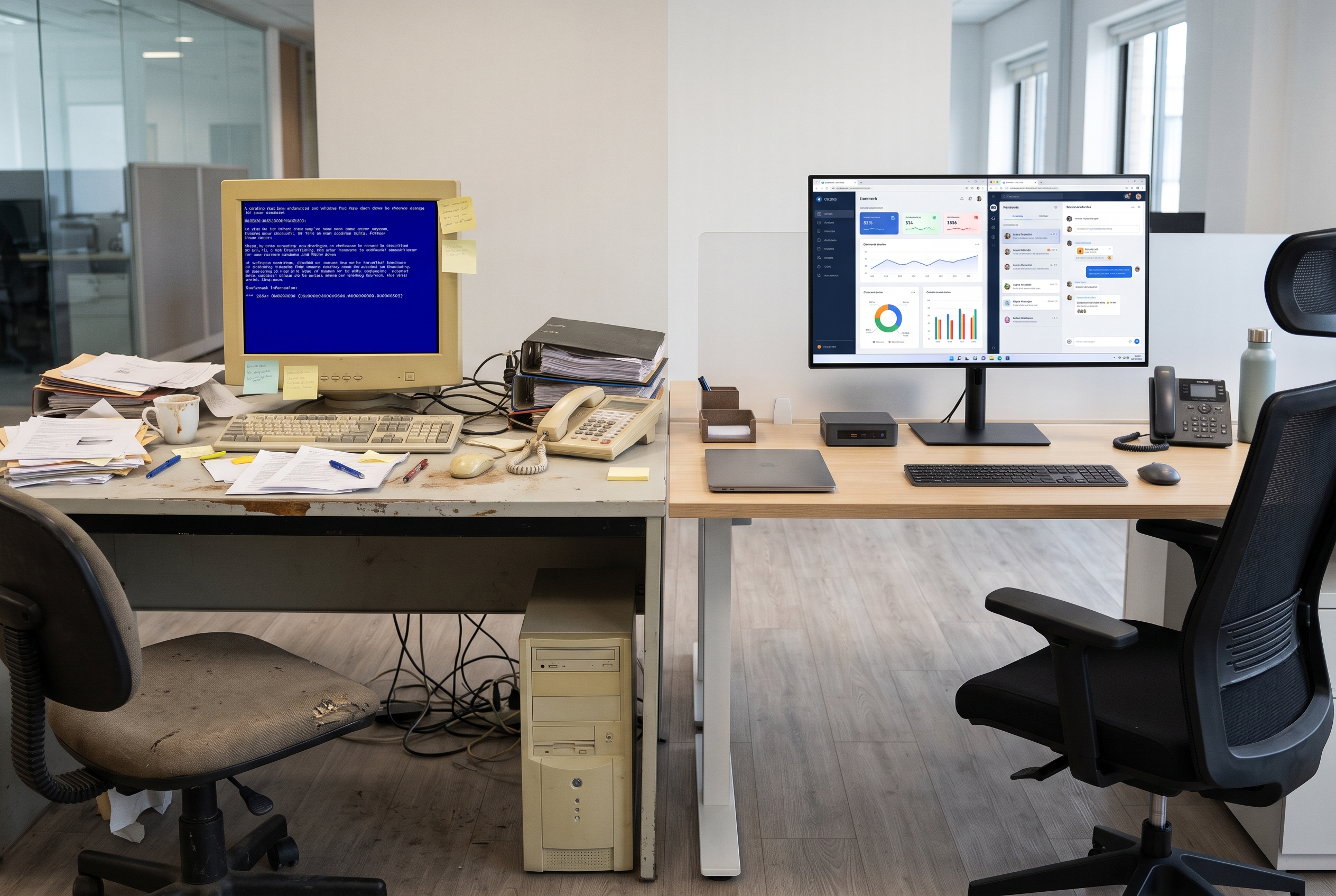
Quick Answer: Postponing the replacement of outdated computers and network gear under the excuse of "cutting costs" is one of the most expensive decisions a business can make. Obsolete hardware triggers a cascading wave of losses: a sharp surge in support tickets, employee-draining lag, incompatibility with cloud software, and critical security gaps (from devices that no longer get updates). Fleet modernization and hardware standardization are not mere operational expenses—they are direct investments in day-to-day efficiency, talent retention, and corporate data defense.
The illusion of savings with legacy hardware
Many leaders look at a five-year-old computer, notice that it "still turns on," and decide to push the fleet refresh out by another year. On that month's balance sheet, it looks like a clever expense-reduction move. On the ground floor of everyday operations, it represents a silent, continuous financial drain.
Older machines suffer from physical degradation and acute technological obsolescence. Consider the practical math: an employee who loses just 15 minutes each day waiting for the OS to boot, rebooting after a system freeze mid-spreadsheet, or dealing with sluggish ERP response times loses roughly 66 hours of productive work over the course of a year.
Multiply those 66 wasted hours by the hourly rate of an analyst or manager, and then scale that across a team of 50 or 100 professionals. The financial burden of that invisible downtime easily outstrips the cost of acquiring modern, reliable machines.
The hidden costs of obsolete hardware
The true fallout of neglecting your IT hardware goes well beyond Windows boot times. It ripples across every layer of the business:
1. Spiking Field Service and support costs
Aging systems break down routinely. This demands frequent visits from on-site technical teams to handle component repairs: swapping failed HDDs for SSDs, replacing burnt power supplies, adding extra RAM modules to keep dying machines afloat, or rebuilding corrupted operating systems. The hours technical staff spend putting out these fires pull them away from strategic projects and leave end users idle.
2. The innovation barrier (The Cloud Bottleneck)
Your organization may have invested heavily in Microsoft 365, moved to a modern SaaS ERP, and planned to deploy automated workflows or AI assistants. However, employee laptops lack the RAM or processing headroom needed to juggle Microsoft Teams, heavy browser workloads, and core line-of-business applications simultaneously. That high-cost digital transformation ends up bottle-necked right at the user's desk.
3. Critical security and compliance risks
Legacy hardware frequently runs operating systems or system firmware that vendors have already declared End-of-Life (EOL). That means zero security patches against newly engineered exploits. Any machine without a modern TPM chip for native encryption, or without the CPU resources to cleanly run an EDR agent in the background, acts as an open invitation for ransomware incidents.
4. Employee frustration and talent churn
Talented professionals dread working on poor tools. Handing an outdated, slow laptop to a new hire during onboarding makes an immediate negative impression. Modern staff expect fast, responsive tools. A lagging hardware pool breeds day-to-day frustration, dampens engagement, and accelerates staff turnover.
Smart Asset Lifecycle Management (ALM)
Modernizing an IT fleet is not about buying hardware at random. It demands an intentional Asset Lifecycle Management strategy:
1. Corporate standardization for agility
A support team's nightmare is a chaotic environment where every employee runs a different brand, model, and configuration. Mature businesses standardize their hardware fleets. Deploying enterprise-grade platforms (such as durable laptops with universal docking or space-saving micro-desktops) streamlines management. Standardization lets IT use pre-configured system images, turning machine setups for new hires from a multi-hour ordeal into a matter of minutes.
2. Active visibility and automated inventory
You cannot control what you do not track. Implementing automated inventory systems is vital to monitor which device is assigned to which user, device age, warranty status, and storage drive health. Unified endpoint tools allow IT to proactively flag which workstations need scheduled replacement before they trigger an operational disruption.
3. Device as a Service (DaaS) and shifting to OPEX
Switching from traditional hardware procurement (CAPEX) to structured leasing models (OPEX) permanently addresses obsolescence. Device as a Service (DaaS) agreements allow organizations to pay predictable monthly fees while working on current machines. Whenever physical hardware fails, replacements are immediate, preserving company cash flow with uninterrupted warranty backing.
4. Sustainability and ESG compliance
Improper disposal of electronic waste (e-waste) carries environmental liabilities and regulatory penalties. Structured lifecycle management and leasing setups guarantee that retiring older equipment includes certified data wiping alongside compliant, eco-friendly recycling in accordance with ESG standards.
Checklist: Has your IT equipment expired?
Run a quick audit of your current hardware footprint:
- [ ] Are more than 30% of your company's workstations older than 4 years?
- [ ] Does your IT staff spend more time swapping components and formatting machines than managing software platforms?
- [ ] Does your office run a fragmented mix of dozens of mismatched computer brands and models?
- [ ] Are team members running discontinued operating systems (such as Windows 7 or unsupported Windows 10 releases)?
Checking "yes" to more than two items indicates that your infrastructure is no longer saving you money—it is generating compounding technical debt.
Conclusion: Proper tools drive business results
Expecting top-tier productivity and rock-solid defense from a team hampered by old, lagging computers is like putting aviation fuel into a car with a cracked engine block.
Fleet standardization paired with healthy hardware lifecycle governance ensures technology acts as a silent business accelerator, rather than a persistent source of friction for employees and support engineers alike.
Find out how to structure the standardization and leasing of your IT infrastructure →
See also: The End of “Break-Fix” Support: Why Your Company Needs Proactive IT, and learn how to protect your physical assets.
Equipe Beltis
Especialista em tecnologia e segurança da informação